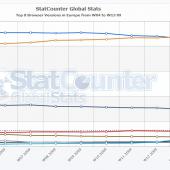

When working with CSS, cross browser compatibility is also an issue. Mostly on Internet Explorer web browsers. A way many web designers/developers get around this problem is by targeting certain IE with it's own CSS stylesheet to fix styling issues since each version renders CSS differently. This method is by using an IE conditional comments placed in the HTML < Head > tag.
I always keep a list as a reference when working with IE. Here is a list of conditional statement to target certain CSS styles to be applied to each or all Internet Explorer. <!--[if IE]>
internet explorer will execute this code
<![endif]-->
<!--[if IE 6]>
internet explorer 6 will execute this code
<![endif]-->
<!--[if IE 7]>
internet explorer 7 will execute this code
<![endif]-->
This will work with any specific version of IE from 5 onwards (5.5 and other decimals also allowed) lt = less than operator
<!--[if lt IE 7]>
internet explorer lower than version 7 will execute this code
<![endif]--> gt = greater than operator
<!--[if gt IE 5.5]>
internet explorer 6 or higher will execute this code-->
<![endif]-->
There are also the gte (greater than or equal to) and the lte (less than or equal to) operators available.
The other very interesting operator to me is the NOT operator: !
<!--[if !IE]>
internet explorer will ignore this code
<!<[endif]-->